

1. CDN Module Import #
Open Source Address: https://github.com/itorr/sakana/
Web Widget Version: https://github.com/dsrkafuu/sakana-widget/
Place the first code snippet of the web widget version directly into a text file such as content\sakana\index.md. The widget will be embedded in the article by default.
2 Modify Desktop Style #
Reference: https://www.wsjj.top/archives/sakana
Insert its code into any position within the head or body tag of a page file such as blowfish\layouts\_default\single.html. The component will be fixed to the desktop.
3 Adjust API Parameters #
According to Web Widget Version Description, “Sakana!” The “Widget” supports custom images, automatic scaling, and more runtime parameters.
<!-- Part 1: Customizing Desktop Styles -->
<style>
  #sakana-widget {
    display: none;     /* Do not display */
  }
  @media only screen and (min-width: 768px) {
    #sakana-widget {
      display: block;  /* Block-level element */
      position: fixed; /* Fixed on the page */
      left: 16px;
      bottom: 0;
    }
  }
</style>

<div id="sakana-widget"></div>

<!-- Part 2: Adjusting API Parameters -->
<script>
  function initSakanaWidget() {
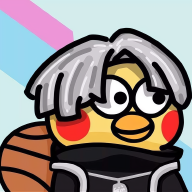
    /* The one in red is Chisato, the one with black hair is Takina, and the one with center-parted hair and overalls is Ikun */
    const ikun = SakanaWidget.getCharacter('chisato');
    ikun.image = `ikun.png`; // URL or relative location in the current article's folder
    ikun.initialState = {
      ...ikun.initialState,
      d: 1,     // Decay
      i: 0.001, // Inertia
    };
    SakanaWidget.registerCharacter('ikun',  ikun);
    new SakanaWidget({ character: 'ikun' }).mount('#sakana-widget'); // Kunkun is the first to be displayed
  }
</script>

<script
  async
  onload="initSakanaWidget()"
  src="https://cdn.jsdelivr.net/npm/sakana-widget@2.3.1/lib/sakana.min.js"
></script>
4 Encapsulate into shortcode #
Create The layouts\shortcodes\sakana-widget.html file can be used to insert shortcodes {{<sakana-widget>}}. However, issues may arise such as the embedded components not displaying simultaneously and the static resource ikun.png failing to load. Whether written fully to Markdown or inserted as a shortcode, ikun.png in the static directory may fail to load. One solution is to place the image in the article’s directory. Other possible solutions include:
-
Inserting the component as a partial template (this has been verified to be less effective, mainly due to file location issues);
-
Creating a URL path (recommended). Here’s an example;
-
Installing the module via NPM package.
Of course, creating a partial template layouts\partials\sakana-widget.html provides better control over the component. Unfortunately, this can lead to a more serious error—not only is the ikun avatar missing, but the character isn’t created at all!
 <!-- Insert the template in the body tag of single.html -->
{{ if .Params.showSakana | default (site.Params.article.showSakana | default true) }}
  {{ partial "sakana-widget.html" . }}
{{ end }}
It works again?
<!-- Insert the template in baseof.html, not `single.html`! -->
<!-- This article is based on the Hugo-Blowfish theme; configuration files may vary slightly depending on the theme -->
{{ partial "sakana-widget.html" . }}